PiP Camera
A client-side Minecraft 1.21.1 (NeoForge) mod that pins a live picture-in-picture external camera onto your HUD so you can watch your build while working in first person.
When building something large in Minecraft, I kept jumping in and out of freecam just to check how a roof line or wall looked from the outside. I built PiP Camera to pin a live external viewpoint in a corner of the HUD while keeping normal first-person movement, reach, and building untouched.
Download PiP Camera for NeoForge 1.21.1 ↗
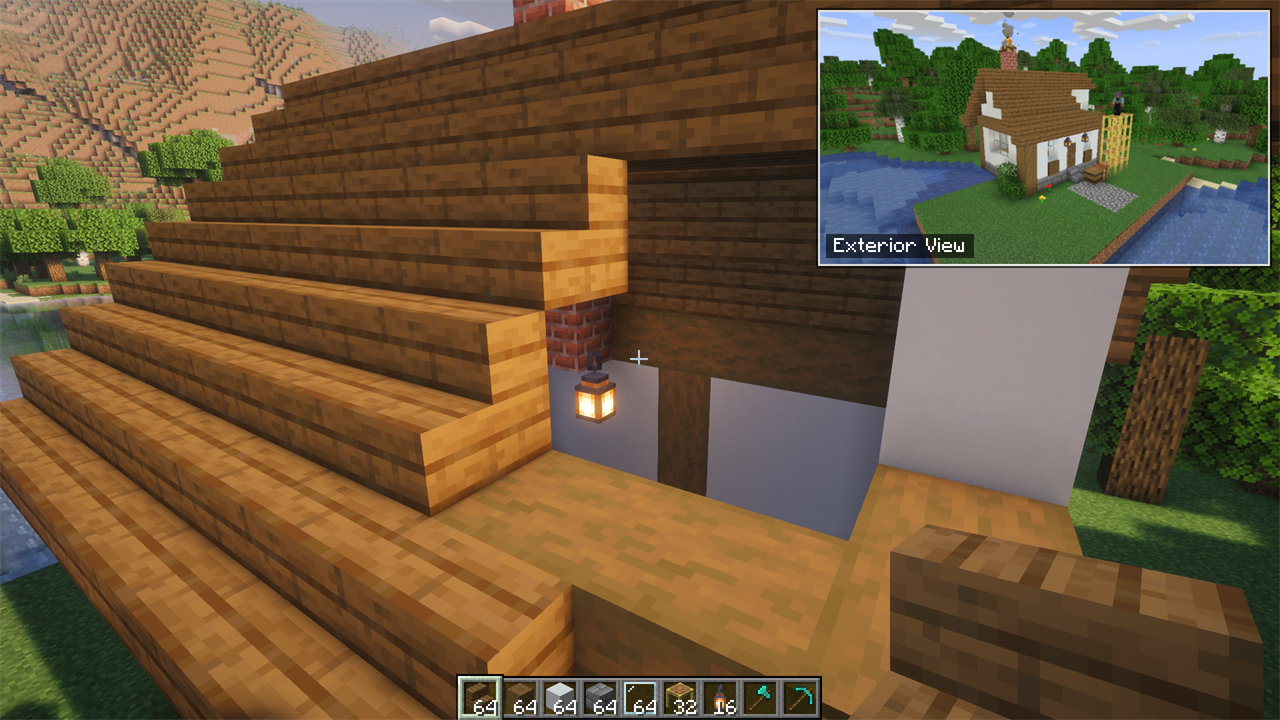
Pin a camera, keep building
Press O (the only key bound by default) to open the menu, drop a camera where
you are standing, or fly it into place with your normal movement keys and mouse
while your character stays put. You can also turn on Track player so the
camera stays pinned like a tripod and smoothly pans to keep you centered as you
move around.
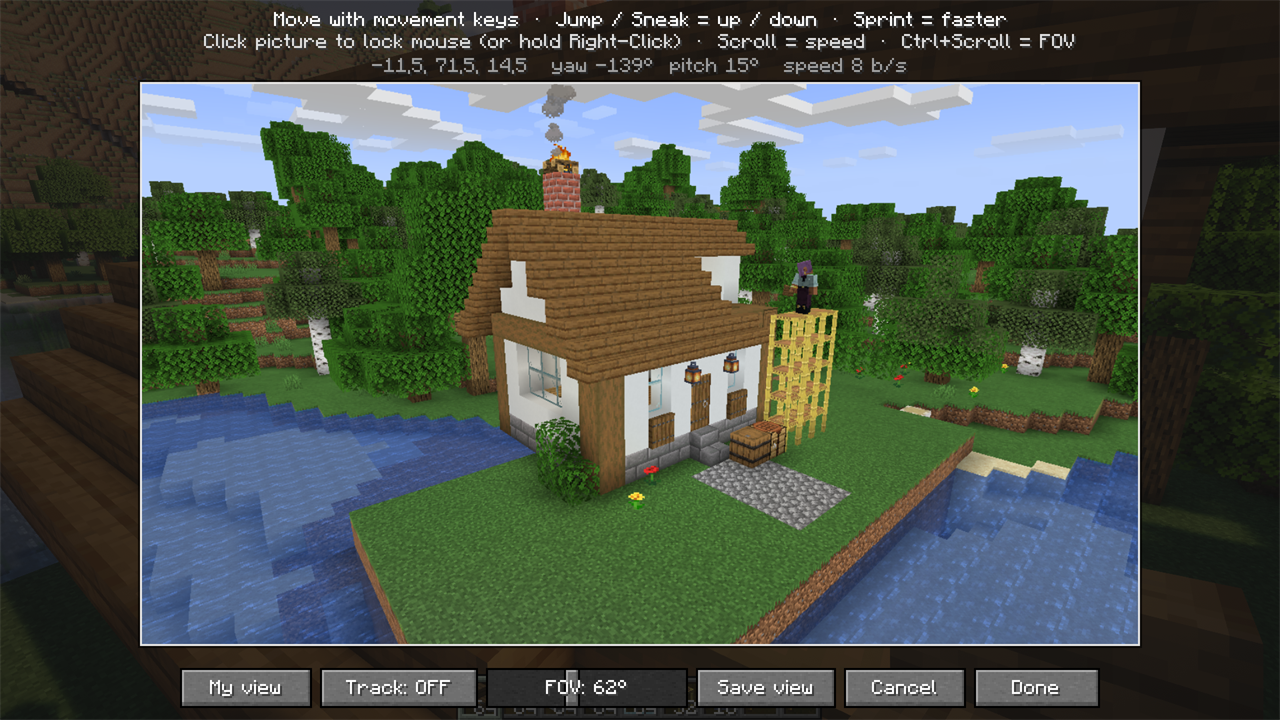
From the menu you can save, rename, update, and cycle through multiple named
views per world or server, drag the HUD window anywhere on screen with Move
HUD…, switch between 16:9, 4:3, and 1:1 aspect ratios, and tune internal
resolution, FPS cap, view distance, lighting (Auto / Day / Night), and
weather visibility independently of the main view. Optional keybinds cover
hiding, pausing, cycling views, toggling tracking, and a Hold to expand peek
shortcut.
Playing nice with modded rendering stacks
Rendering a second world view cleanly into an offscreen framebuffer without requiring extra libraries or breaking heavy modpacks is where most of the work went. The mod has zero required dependencies and runs on standalone NeoForge 1.21.1, while automatically enabling optional compatibility bridges when present:
- Iris & Sodium: keeps shader packs running in the main view while routing the PiP through Iris’s unshaded vanilla pipeline without reloading shaders or poisoning main-view TAA, patching Sodium’s plain chunk shader for leaf cutouts, separate AO, and exact per-face directional shading.
- Distant Horizons: isolates DH’s singleton post-processing/TAA state and transfers LOD depth into the PiP so distant hills render cleanly without flickering the main view.
- Create / Flywheel / Colorwheel: detects when Colorwheel’s Iris backend is active and falls back to Create’s built-in vanilla renderers during the PiP pass so cogwheels, shafts, belts, and contraptions still show up.
- Client-side chunk retention: optionally holds onto already-visited chunks around a pinned camera after you walk out of server view distance (purely client-side, frozen until you return).
Download & setup
Grab pipcam-0.1.0.jar from the
latest release
and drop it into your Minecraft 1.21.1 (NeoForge 21.1.0+) mods/ folder.
It’s client-only, so servers don’t need it installed. MIT licensed.